Every school year-end, every training programme wrap-up, every corporate award ceremony produces the same two-week panic: certificates need printing, and nobody thought about it until now.
What follows is predictable. Someone fires up the office inkjet, feeds in whatever paper is lying around, and prints 300 certificates that curl at the edges and smudge the moment someone touches them. Nobody frames these. They go straight into a drawer, if they are lucky.
There is a better way. Getting certificates printed at a commercial press gives you thick stock, sharp typography, and a finish that holds up to handling. The per-unit cost is often lower than the ink you would burn through on that office printer. Below is everything you need to know before placing an order.
Who actually prints certificates (and when)
It is not just graduation day. Schools, coaching centres, corporates, and event organisers order certificates throughout the year, and the specs shift depending on what the certificate is for.
Schools and colleges print merit awards, participation certificates, sports day documents, and degree certificates. Volumes swing from a couple hundred to several thousand, usually peaking right before annual day and convocation.
Coaching institutes and training providers need course completion certificates, workshop attendance records, and skill certifications. A lot of them now add QR codes or serial numbers so recipients can verify online.
Corporates order employee-of-the-month awards, training records, safety compliance certificates, and recognition documents for internal events. HR departments also run appointment letters and experience certificates on branded stock.
Event organisers handle participation certificates for conferences, hackathons, and sports meets. These almost always need variable data, since every attendee gets their own name printed.
The bottom line: a certificate is meant to mark an achievement. If it looks and feels cheap, it undercuts the thing it represents.
Paper types and GSM options
Paper weight is the single biggest factor in how a certificate feels. Too thin and it flops around like a pamphlet. Too thick and it will not feed through certain machines or fit in standard envelopes. Most certificates land in the 200 to 300 GSM range.
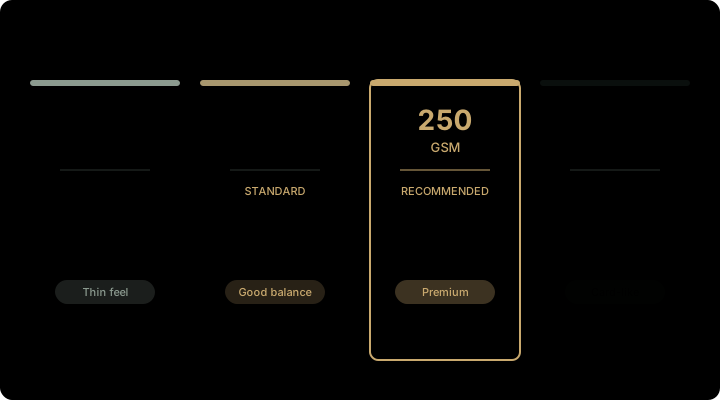
170 GSM art card is the entry point. Fine for participation certificates and internal documents where you are printing thousands and cost matters more than feel. It takes colour well but bends easily.
250 GSM art card is where most orders end up. Thick enough to feel solid, stiff enough to sit flat in a frame. Available in gloss and matte. If you are unsure, this is the safe pick.
300 GSM art board is for premium work: degree certificates, big awards, anything that needs to feel weighty. Very stiff, sits completely flat, and takes lamination and foil without issues.
Textured paper (laid, linen, felt) has a tactile surface you can feel immediately. Used for premium corporate awards and university degrees where the paper itself does half the work. Usually available in off-white or ivory, 200 to 300 GSM.
Watermark paper has an embedded mark visible when held to light. Used for degree certificates, government documents, and anything where forgery prevention matters. Costs more and needs to be ordered in advance.
Standard sizes and formats
Certificate sizes follow a handful of conventions, mostly dictated by what fits standard frames and display folders.
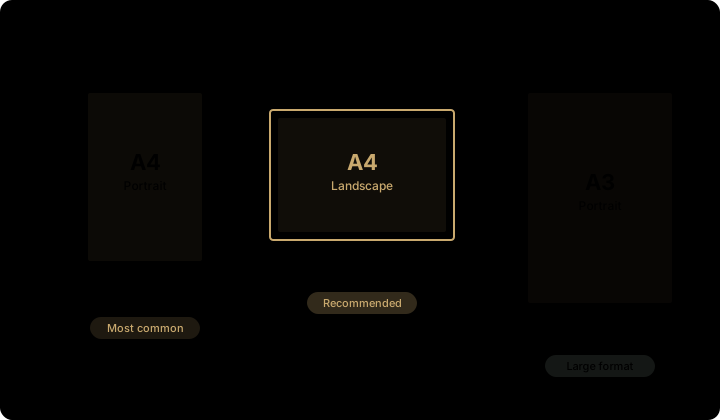
A4 (210 x 297 mm) is the default. Fits standard frames, folders, and filing cabinets. Works for school certificates, corporate awards, and training completions. Can go landscape or portrait.
A3 (297 x 420 mm) is for large-format work: degree documents, achievement awards, anything meant to be displayed on a wall. Common for university degrees and major corporate recognitions.
Custom sizes are possible too. Some schools use half-A4 for participation certificates to save paper on high-volume runs. Oversized formats work for special awards. Any dimension is printable, though sticking to standard sizes reduces waste and keeps the price down.
On orientation: landscape (horizontal) is far more common than portrait for certificates. It reads naturally on a wall and matches how most templates are laid out.
Printing methods: offset vs digital
Which method to use comes down to three things: how many you need, whether each certificate is different, and how fast you need them.
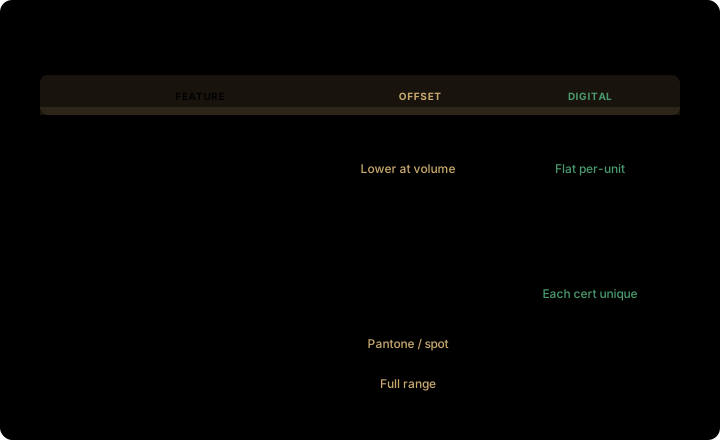
Offset printing makes plates from your design, inks them, and presses them onto paper at speed. There is a setup cost for those plates, but once they are running, each additional copy is very cheap. Colour stays consistent across thousands of prints. Use it for 500+ identical certificates.
Digital printing skips plates entirely. Your file goes straight to the press, making it practical for short runs of 25 to 500. It also handles variable data: every certificate can carry a different name, date, serial number, or QR code without slowing down. Turnaround is fast, usually 1 to 3 days.
A quick decision guide: - 500+ identical certificates: offset - Each certificate has a unique name: digital (variable data) - Under 200 copies: digital - Need it in under 3 days: digital - Biggest possible run at lowest unit cost: offset
Plenty of orders combine both. Offset prints the background design and borders across all certificates, then digital overprints the individual names and details.
Finishes that protect the print
An unfinished certificate picks up fingerprints, absorbs moisture, and fades. The right finish fixes all three and adds to the look.

Matte lamination is a thin film that cuts glare, resists fingerprints, and feels smooth. It is the most popular choice for certificates because it looks clean behind glass in a frame. Easy to write on, too, if the certificate needs a signature.
Gloss lamination is a shiny film that makes colours look richer. Works well on colourful designs with photos or logos. Downside: it shows fingerprints more than matte.
Spot UV is a glossy, slightly raised coating applied only to specific areas, like a logo or seal, against a matte background. You can feel the contrast with your fingernail. Subtle but effective.
Foil stamping presses metallic foil (gold and silver are the go-to options) onto the paper for borders, seals, or text. This is the classic degree-certificate treatment. Gold foil on cream textured paper never gets old.
Embossing creates a raised impression in the paper, usually for a seal or logo. It catches light and adds a three-dimensional quality. Often paired with foil for a layered effect.
Die-cut edges replace straight cuts with rounded corners, decorative borders, or shaped outlines. Looks distinctive, but adds to the cost.
For most school and corporate jobs, matte lamination on its own does the trick. For degrees and awards, foil plus embossing on textured stock is the standard premium combination.
Pricing: what certificates actually cost
Four things drive the price: paper weight, colour mode, quantity, and finishing. Here is what each tier looks like.
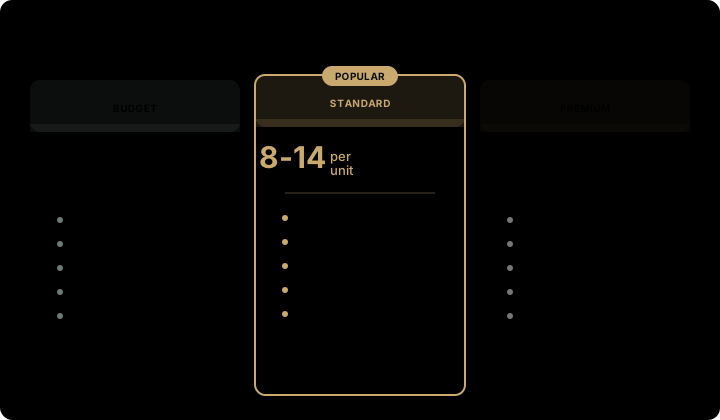
Budget tier runs 3 to 5 rupees per piece. That gets you 170 GSM art card, single or two-colour print, no lamination. Good for participation certificates, attendance records, and internal documents. Usually needs a minimum of 1,000 pieces.
Standard tier runs 8 to 15 rupees per piece. 250 GSM art card, full-colour CMYK, matte lamination. This is the sweet spot for school merit certificates, corporate training completions, and event awards. Offset from 500 pieces.
Premium tier runs 25 to 50 rupees per piece. 300 GSM textured paper, full-colour, gold or silver foil, embossed seal, matte lamination. For degree certificates, big awards, and recognition documents. Offset from 500 pieces.
Variable data (individual names, dates, serial numbers) adds 1 to 3 rupees per piece on top, depending on how many fields you need.
Volume discounts matter. A 5,000-piece order on the standard tier can bring the unit cost down to 6 to 8 rupees versus 12 to 15 rupees for 500 pieces.
How to prepare your files
Getting the file right before sending it to the printer avoids reprints and delays. These specs are standard across commercial printers in India.
Design in CMYK, not RGB. Converting from RGB later shifts colours, and golds and deep blues on certificates are the first to look wrong.
Resolution should be 300 DPI minimum on every image, logo, and background element. Anything lower prints blurry, especially fine text and seal details.
Add 3 mm bleed on all sides. If your border or background colour runs to the edge, the bleed prevents white edges from showing after the sheets are cut.
Keep text and logos at least 5 mm inside the trim line. Anything closer to the edge risks getting clipped.
Send a press-ready PDF. Illustrator (.ai) or InDesign (.indd) files work too if you are using vectors. Convert all fonts to outlines or embed them so nothing substitutes on the printer's end.
For variable data, supply an Excel or CSV with columns for each field: name, date, serial number, whatever you need. The printer merges it into the template during production.
Always ask for a digital proof before the run starts. On variable data jobs, check a sample of names from the spreadsheet. Reprinting 2,000 certificates because someone misspelled the principal's name is not a fun conversation.
How to order
Once your files are ready, the ordering process is simple.
- Send your requirements: quantity, paper type and GSM, size, colour mode, finishing options (lamination, foil, embossing), and whether you need variable data.
2. Get a quote. Most printers respond within 24 hours. Compare on the same specs.
3. Approve the proof. Check colour, text placement, and spelling. For variable data, verify a handful of names from your spreadsheet.
4. Production and delivery. Standard runs take 3 to 5 working days. Premium finishes or very large runs take 7 to 10 days. Shipping across India adds 2 to 4 days depending on location.
At Paper & Beyond, we print certificates for schools, colleges, coaching centres, and corporates across India, from basic participation certificates to foil-stamped degree documents on 170 to 300 GSM stock with any combination of finishes and variable data. We handle design too if you need it.
Send your specs or artwork and we will get back within 24 hours with a quote. Request a quote here.
Frequently asked questions
How much does certificate printing cost in India?
Basic single-colour on 170 GSM art card starts at 3 to 5 rupees per piece for 1,000+. Full-colour on 250 GSM with matte lamination runs 8 to 15 rupees. Premium textured paper with foil and embossing goes from 25 to 50 rupees per piece. Final price depends on paper, colour mode, quantity, and finishing.
What is the minimum order?
Digital printing handles runs as low as 25 to 50 pieces. Offset starts at 500. Per-unit cost drops noticeably at 1,000 and above.
How long does it take?
Standard orders of 500 to 2,000 pieces take 3 to 5 working days after proof approval. Premium finishes add a few days. Rush orders of 1 to 2 days are possible for simple digital runs.
What file format should I send?
Press-ready PDF in CMYK at 300 DPI. Illustrator or InDesign files work too. Include 3 mm bleed, keep text 5 mm inside the trim line, and convert fonts to outlines.
What paper is best for certificates?
250 GSM art card with matte lamination is the go-to for most school and corporate work. For premium awards, 300 GSM textured paper (laid or linen) with foil stamping.
Can each certificate have a different name?
Yes. Variable data printing merges a spreadsheet of names, dates, and serial numbers into your template during the run. Every certificate comes out personalised. Standard for graduations, training completions, and award ceremonies.